I Made a Devin Bot Build a Map of KubeCon NA 2026
I gave a Devin Bot one outcome: own the KubeCon map. It went through 160 talks, wrote timestamped notes for each, and built a free, unofficial map grouped by theme.
On this page (7)
KubeCon NA 2026 put more than 56 hours of talks on YouTube. Nobody has time to watch all of that, so I didn't. I gave the job to a Devin Bot.
By the end of the day it had gone through 160 talks, written five timestamped moments for each one, and built a website that groups them by theme. Every moment links straight to that point in the recording.
The map is free and unofficial: saiyam1814.github.io/kubecon-na-2026. If you prefer video, I walk through the whole thing on YouTube.
This post covers how it works, what it built, and what I would do differently.
What is a Devin Bot? #
A normal agent session is one request and one piece of work. A Devin Bot is different: you give it an outcome and it owns it. You don't say "fix the checkout button", you say "own checkout", and it keeps going until that is done.
In practice, a Bot:
- plans the work and starts its own sessions, each with its own machine
- can wake up on a schedule or when something happens in your tools
- saves what it learns to its memory
- puts anything that needs you, like a decision or a pull request to review, in one list
The setup #
Setting it up took a few minutes. I created a bot, named it KubeCon Watcher, and wrote its rules into the Instructions field. These are the rules that mattered:
- every point needs a timestamp
- one talk in ten gets checked again against its transcript
- what a speaker said stays "the speaker said" and is never stated as a fact
- no grading of speakers or talks
- transcripts are never committed, and nothing goes public without my review
I also set its extra (on-demand) spending to $0, so it could only use the credits already in my plan. Then I sent one message:
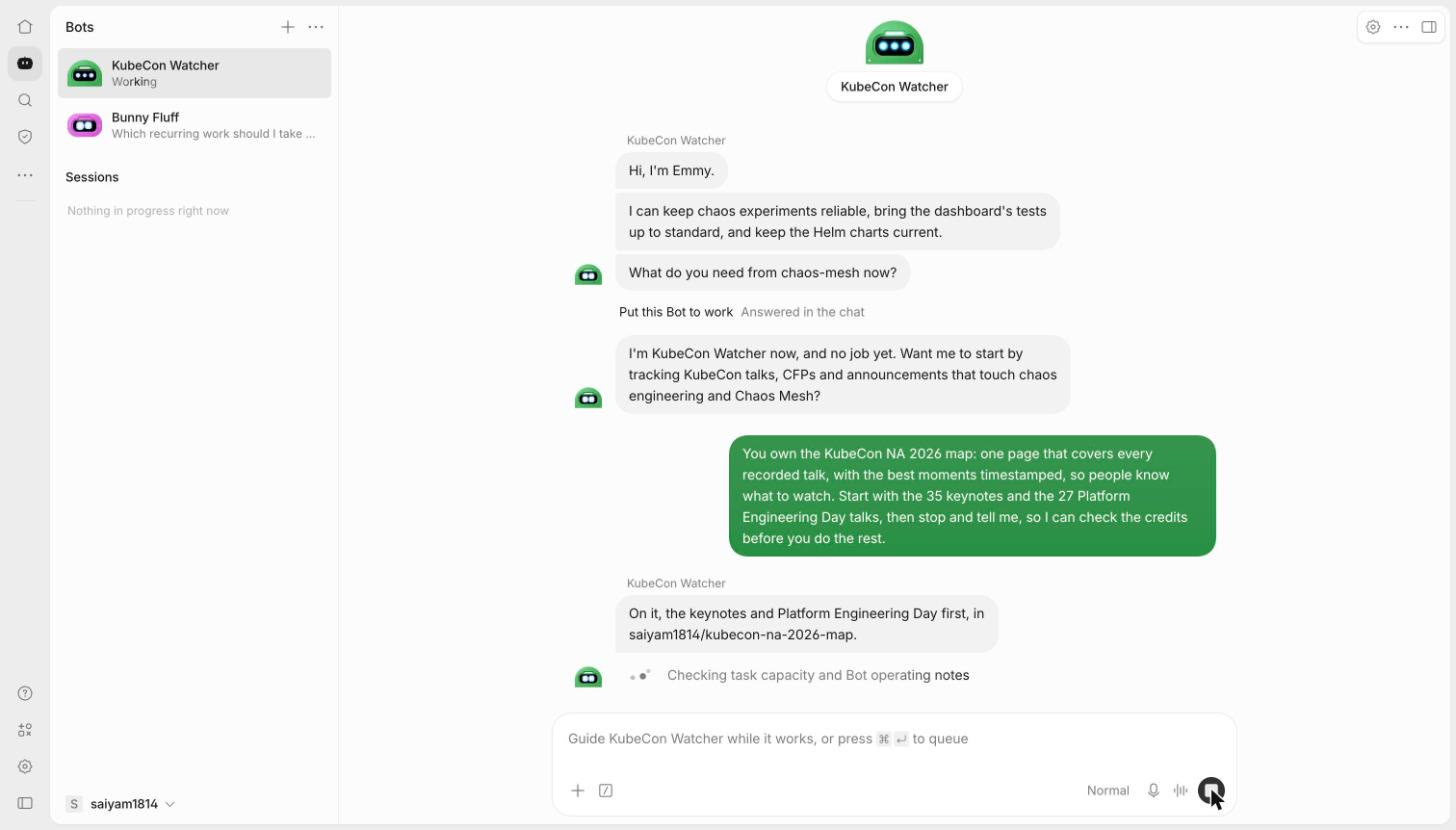
You own the KubeCon NA 2026 map: one page that covers every recorded talk, with the best moments timestamped, so people know what to watch.
It replied "On it."
What it did on its own #
The interesting part is what happened next, without me.
It split the work. It broke the first 62 talks into batches of about 10 and ran the sessions in parallel.
It worked around YouTube. YouTube blocked caption downloads from its machines. It didn't keep retrying, and it didn't ask for my YouTube login, because that could get my account flagged. Instead it downloaded the audio, installed Whisper, tested it on a short clip, and transcribed each talk itself, in about two minutes per talk.
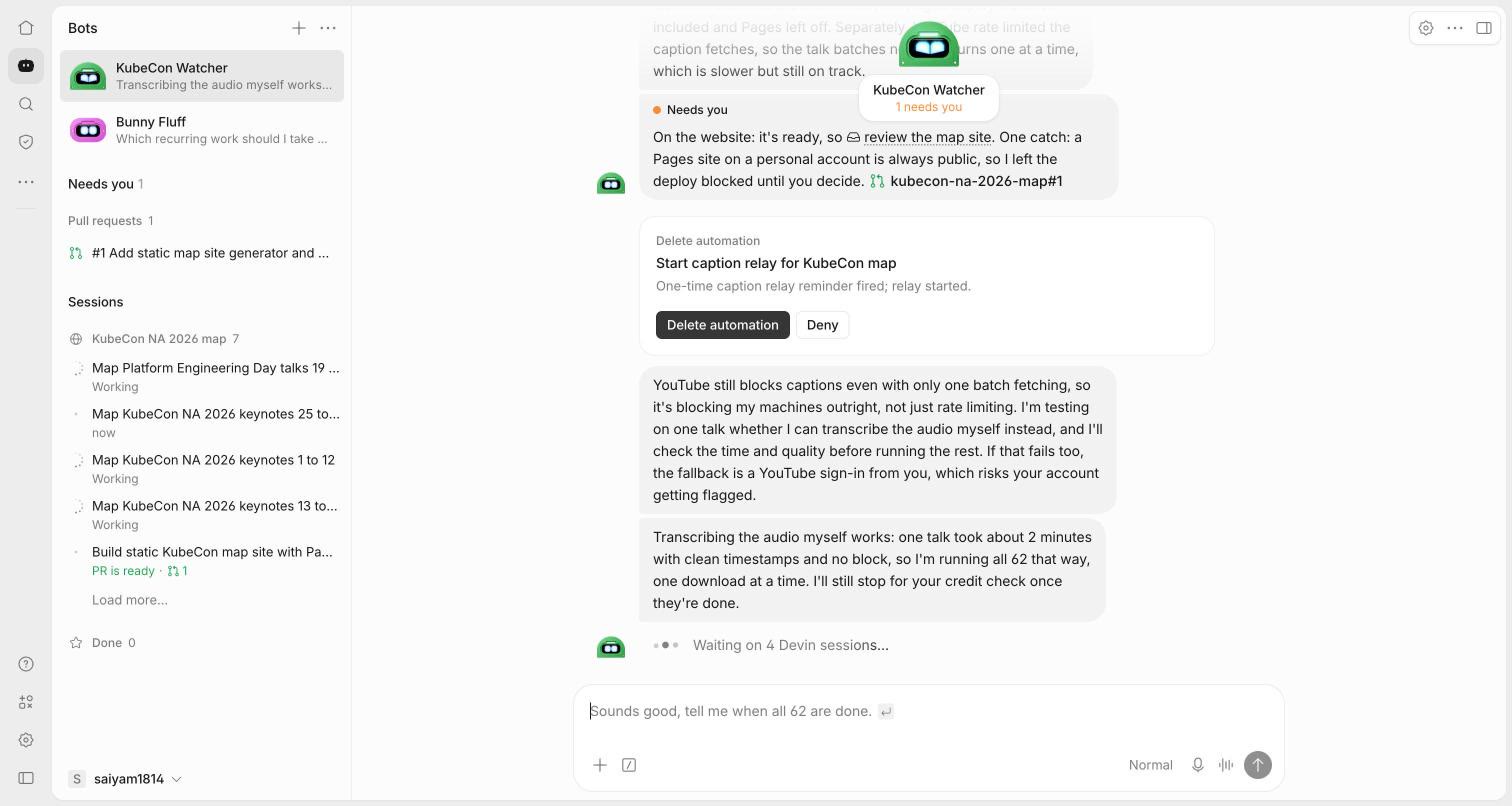
It caught a wrong video. One recording titled "Life After Strimzi 1.0.0" actually has the audio of a Falco talk. Writing Falco notes under a Strimzi title would be wrong, so it held that one back and told me in its pull request.
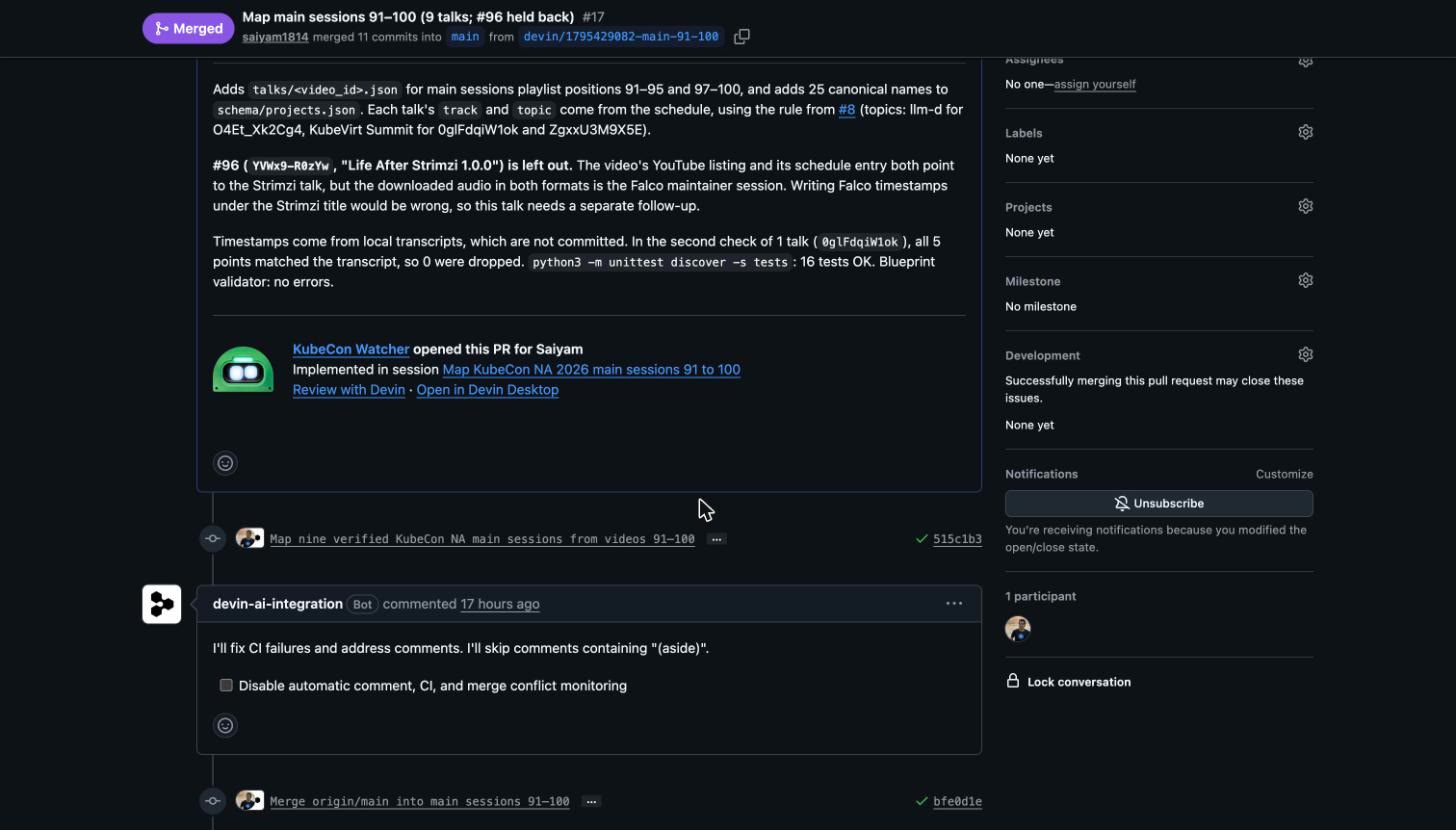
It stopped when asked. After the first 62 talks it paused for a credit check, as its instructions said, and carried on once I said yes.
It fixed its own merge conflicts. When two of its pull requests clashed after I merged others, it resolved them before I got to it.
Where I had to step in #
It was not all hands off. When I checked the first 30 talks, every one was a real video and every timestamp was inside its recording. But sessions running in parallel had used different JSON shapes, and some talks had no summary.
I asked for one schema. The bot wrote the schema, added a test that fails on any talk that doesn't match, added a CI check for every pull request, and converted every batch.
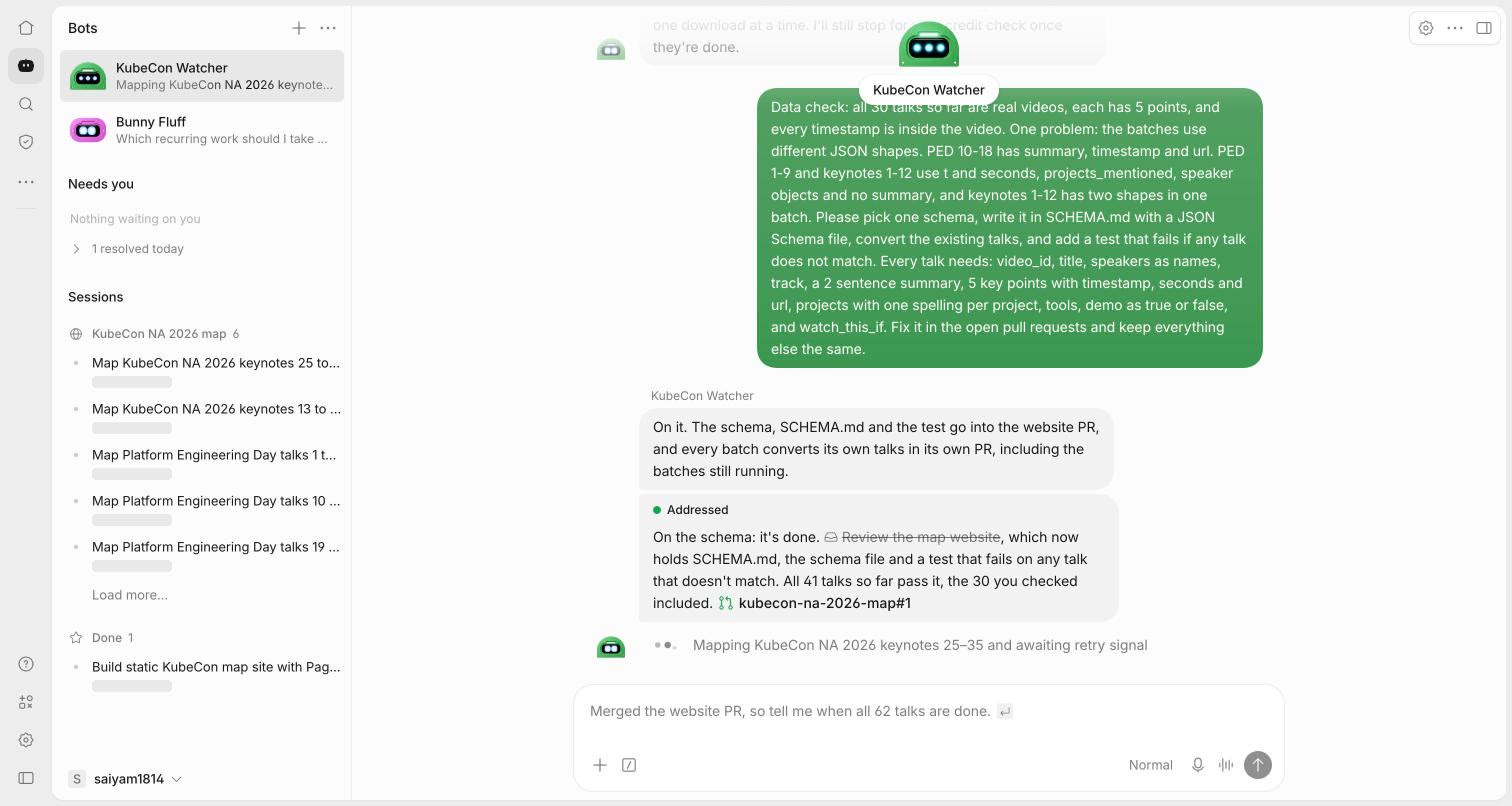
That was the biggest lesson. The bot is fast, but the rules you write at the start decide the quality. Spell out the data format on day one.
What it built #
- 160 talks mapped, with 800 timestamped moments
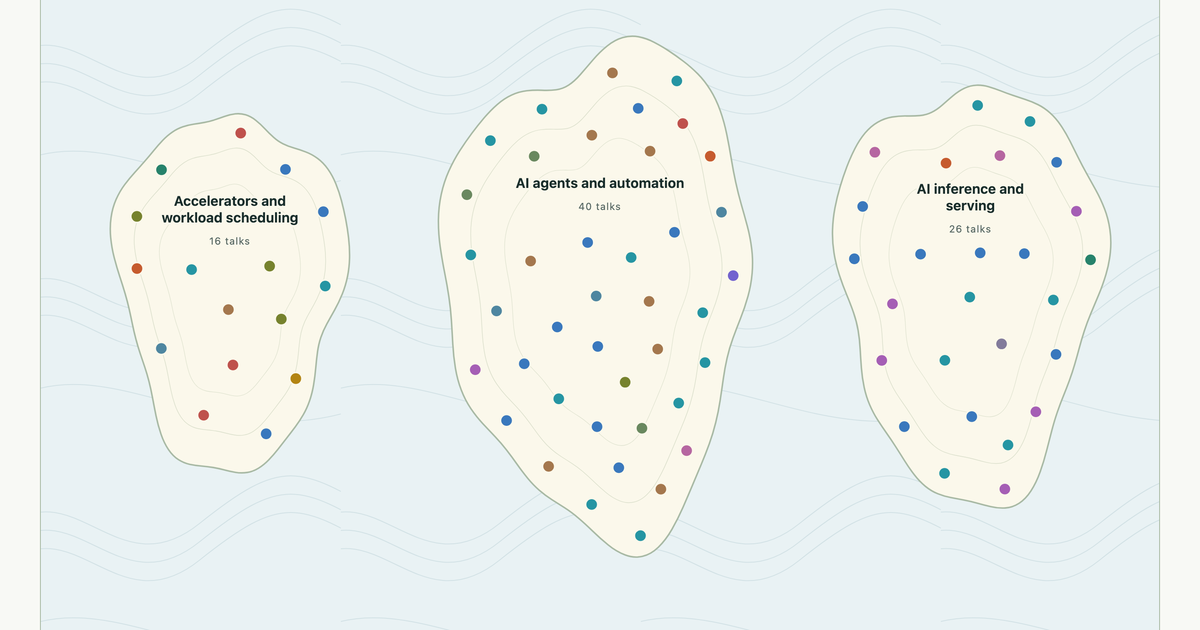
- 11 themes on an island map, where bigger islands mean more talks
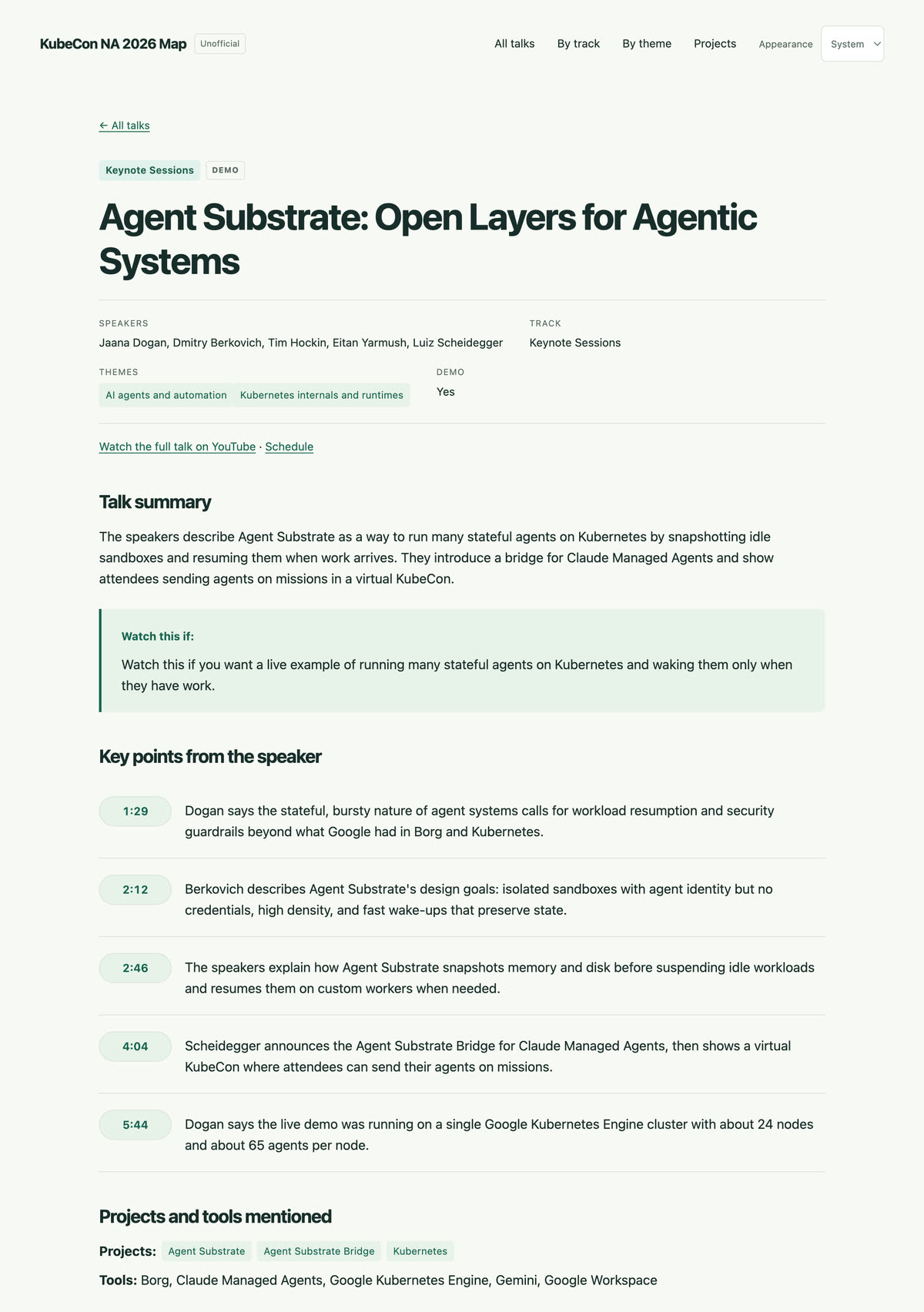
- a page per talk with a summary, five key moments and the projects mentioned
- the most mentioned projects: Kubernetes in 123 talks, then OpenTelemetry, Prometheus and Helm
- a static site with no tracking that works on phones
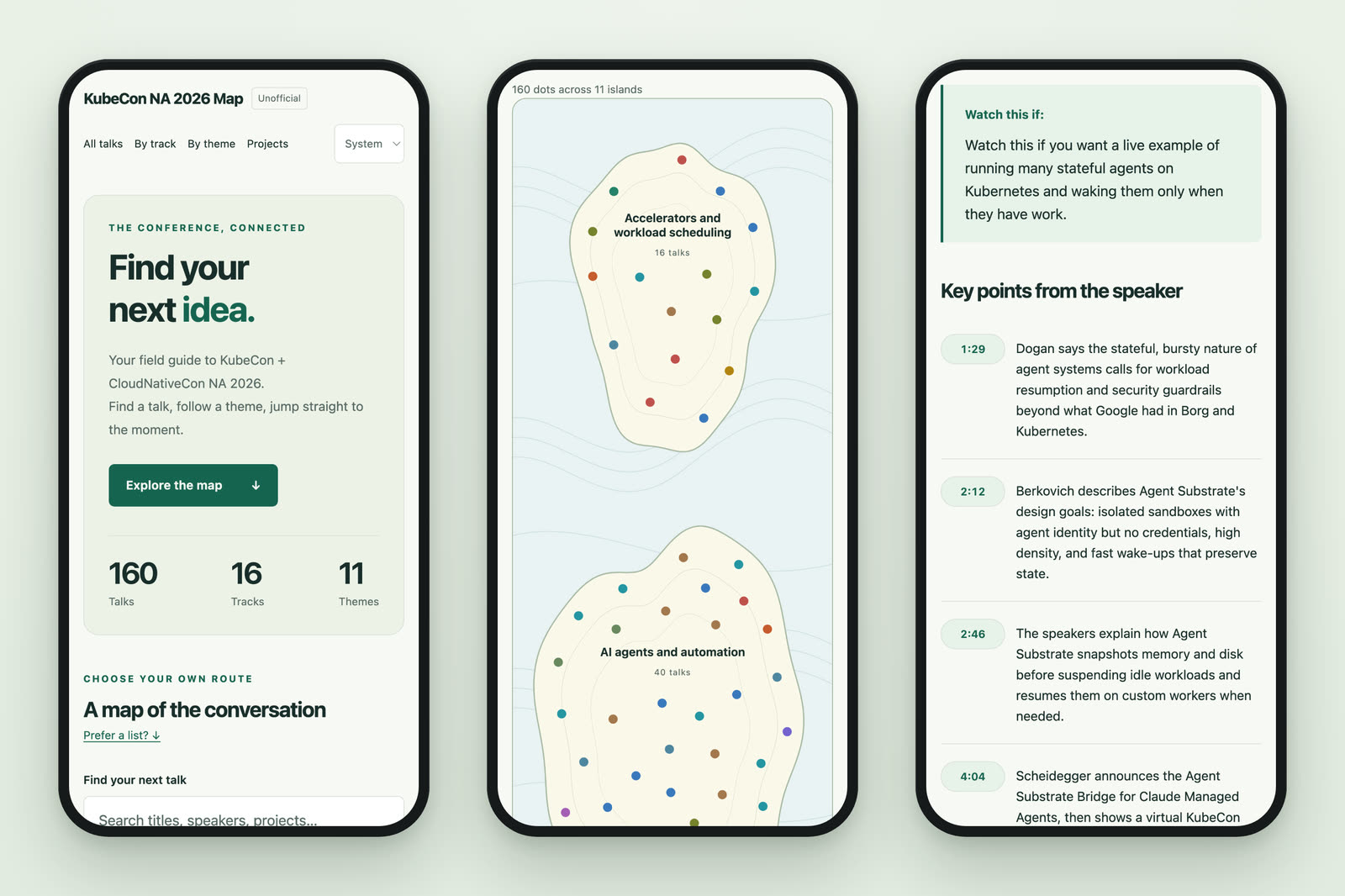
The home page has the counts, a search box, and a filter for every track and theme.
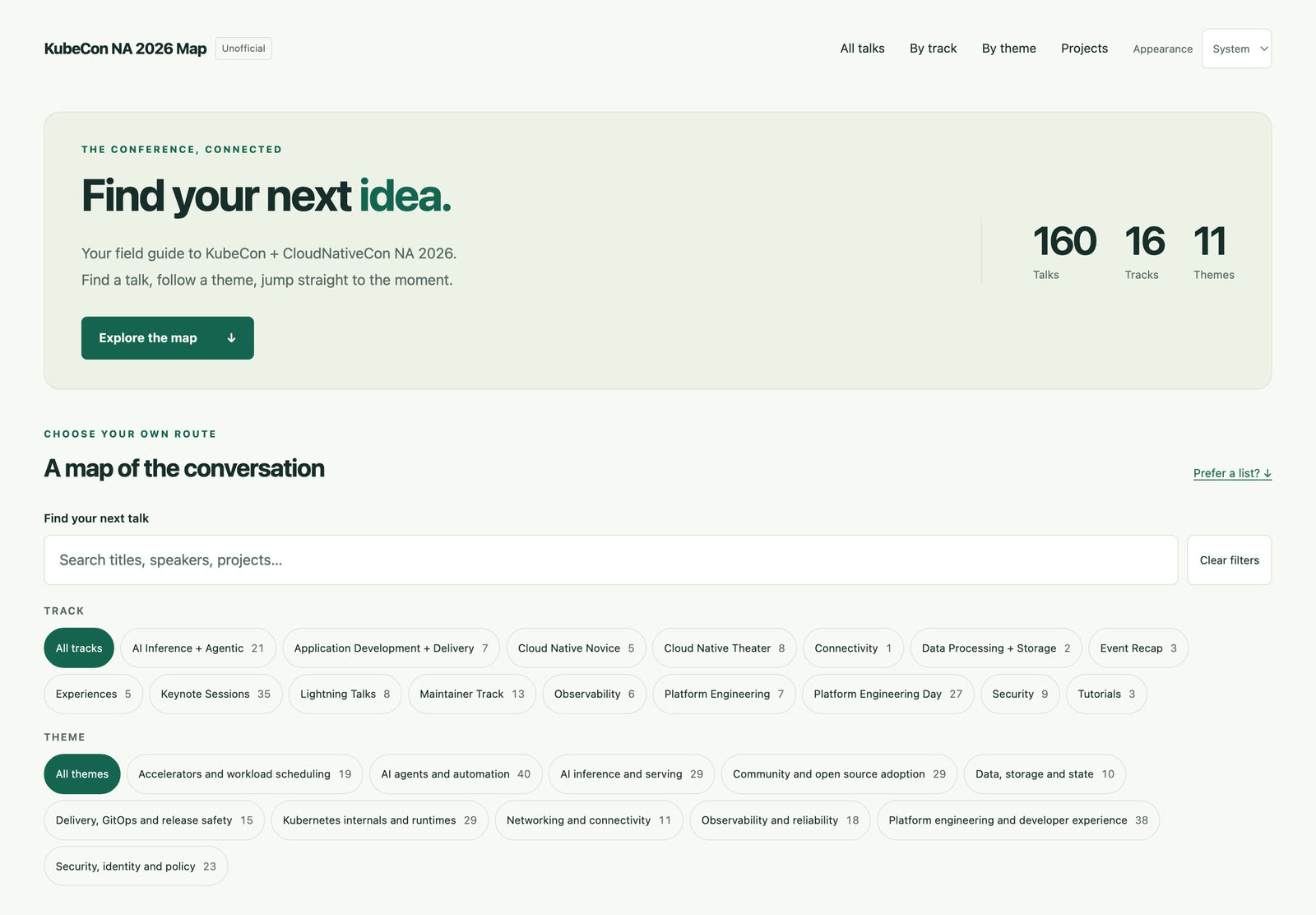
Below that is the map itself. Each island is a theme, each dot is a talk, and the dot's color is its track. AI agents and automation is the biggest island, with 40 talks.
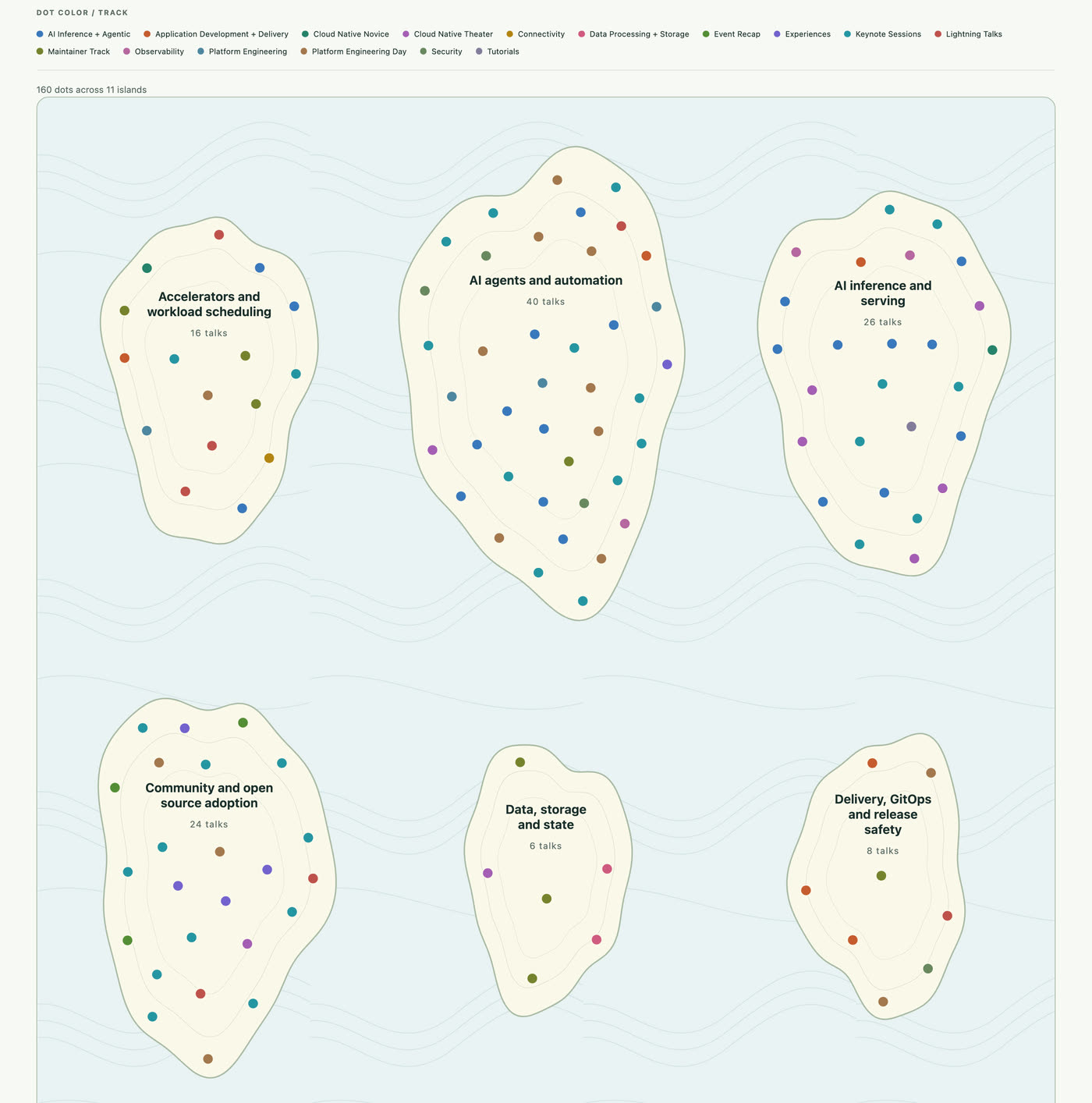
Hover over a dot to preview the talk, click it to open the talk page. This is the part that saves time: a short summary, a line on who should watch it, and five moments that open the recording at that exact second.
It works on a phone too.
It is still growing. CNCF has uploaded 280 more recordings since then, and the bot is mapping them now, along with a technology atlas, better filters and guided paths per topic.
What it cost #
The first 160 talks and the website came out of the quota already in my Devin Max plan, with $0 extra.
Before you try this yourself #
- Give it an outcome, not a task list. "Own the KubeCon map" worked better than any step-by-step plan I could have written.
- Write the trust rules first. Timestamps, no grading, and a clear line between what a speaker said and what is a fact.
- Define the data format before the first batch, not after.
- Review its early pull requests. Once the tests are solid, you can let it merge on its own.
The map is unofficial and not affiliated with CNCF or the Linux Foundation. Talks and recordings belong to their speakers and CNCF.
Disclosure: I'm part of the Devin ambassador program.
Saiyam is working as Head of DevRel at vCluster Labs. He is the founder of Kubesimplify, focusing on simplifying cloud-native & AI infrastructure. He is KubeCon Co-chair and has worked on many facets of Kubernetes, including machine learning platforms, scaling, multi-cloud, & managed Kubernetes services. When not coding, Saiyam contributes to the community by writing blogs and organizing local meetups for Kubernetes and CNCF. He is also a CNCF TAG OpsRes Chair & can be reached on Twitter @saiyampathak.
Get new posts in your inbox.
Spotted a typo or want to improve this post? Edit on GitHub →